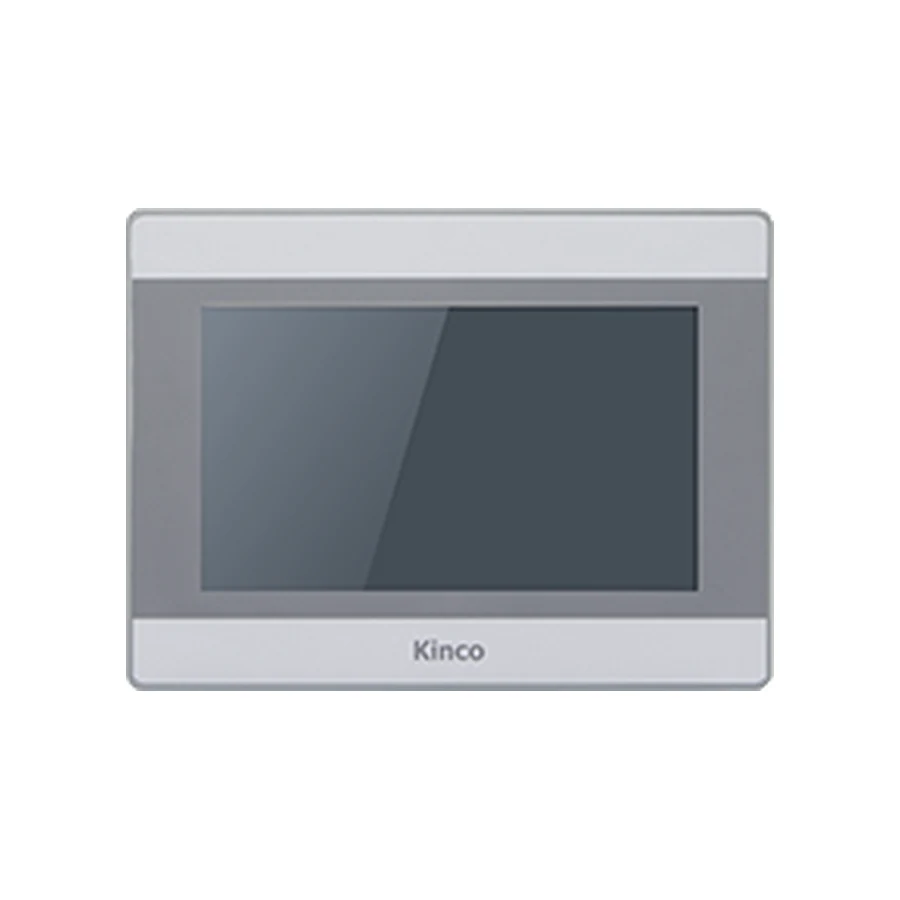
Kinco MT070 7-inch HMI panel, representative front appearance, silver and gray bezel around a dark display

Kinco MT070 7-inch HMI panel: representative front appearance for this model group. Compare the full model codes below for interface and configuration differences.

Basic SERIES · MT070

Kinco MT070 / MT070C / MT070E / MT070E-4G / MT070EC 7-inch HMI Panel

Model codes: MT070 | MT070C | MT070E | MT070E-4G | MT070EC

The Kinco MT070 group uses a 7-inch 800 × 480 display and a 192 × 138 mm opening across five codes. Selection depends on the old label and wiring: C and EC change the serial set, E codes offer Ethernet, and only MT070E-4G lists cellular connectivity. Review those differences before attempting to reuse a DTools project. The shared 204 × 150 × 37 mm body does not settle driver compatibility, cable pinout or cellular band suitability.

Generation: Mass Series (MT) in the Basic series

7" display · 800 × 480Resistive touchARM RISC 32-bit 792 MHz3 serial ports and 1 USB host port

Choose from 5 model variants with the same display size and resolution. Confirm the exact code on the cabinet label before ordering.

Available for quotation — specify the full code, quantity and destination.

Supplied by CINKR. Confirm the panel cut-out, the interfaces and the protocol before ordering.

EXACT MODEL CODE

Compare MT070 model codes

Match the full code to the PLC connection, project software and cabinet opening. An option listed for one code does not apply to every code on this page.

Per-code connection and mechanical requirements
Full model codeSerial portsEthernetWi-Fi4GInput powerCut-outBody W × H × DSoftwareRemote platform
MT070COM0: RS232/RS485/RS422 · COM1: RS485 · COM2: RS232Not offered on this modelNot offered on this modelNot offered on this modelDC 10.8 to 28 V192 × 138 mm204 × 150 × 37 mmKinco DToolsNot offered on this model
MT070CCOM0: RS232/RS485/RS422 · COM2: RS232Not offered on this modelNot offered on this modelNot offered on this modelDC 10.8 to 28 V192 × 138 mm204 × 150 × 37 mmKinco DToolsNot offered on this model
MT070ECOM0: RS232/RS485/RS422 · COM1: RS485 · COM2: RS2321 portNot offered on this modelNot offered on this modelDC 10.8 to 28 V192 × 138 mm204 × 150 × 37 mmKinco DToolsEdgeAccess 1.0
MT070E-4GCOM0: RS232/RS485/RS422 · COM1: RS485 · COM2: RS2321 portNot offered on this modelLTE-FDD Band 1/3/5/8, LTE-TDD Band 34/38/39/40/41 UMTS Band 1/8 GSM Band 3/8DC 10.8 to 28 V192 × 138 mm204 × 150 × 37 mmKinco DToolsEdgeAccess 1.0
MT070ECCOM0: RS232/RS485/RS422 · COM2: RS2321 portNot offered on this modelNot offered on this modelDC 10.8 to 28 V192 × 138 mm204 × 150 × 37 mmKinco DToolsEdgeAccess 1.0
MT070 panel opening illustration192 mm cut-out width138 mm cut-out heightMT070
Illustrative opening for the base code. Use the applicable dimension drawing to machine the panel; this sketch does not show connector positions or pinout.

Before fitting the panel

Base-code opening
192 × 138 mm
Body dimensions
204 × 150 × 37 mm
Power supply
DC 10.8 to 28 V
Project software
Kinco DTools

Check door thickness, clip access, ventilation and cable bend clearance. Compare the full variant code before reusing an opening or cable.

Request the applicable installation drawing →

PRODUCT GUIDE

About the MT070 | MT070C +3 codes

The Kinco MT070 group uses a 7-inch 800 × 480 display and a 192 × 138 mm opening across five codes. Selection depends on the old label and wiring: C and EC change the serial set, E codes offer Ethernet, and only MT070E-4G lists cellular connectivity. Review those differences before attempting to reuse a DTools project. The shared 204 × 150 × 37 mm body does not settle driver compatibility, cable pinout or cellular band suitability.

MT070C omits COM1. MT070E adds Ethernet and the EdgeAccess 1.0 remote platform. MT070E-4G adds Ethernet, 4G and the EdgeAccess 1.0 remote platform. MT070EC adds Ethernet and the EdgeAccess 1.0 remote platform, and omits COM1.

QUICK DECISION

Know where this panel fits before you compare specifications.

BEST FIT

Choose MT070 | MT070C +3 codes when you need:

  • A 7-inch MT replacement group where C, E, EC and 4G suffixes must be checked against the old label.
  • Use 192 × 138 mm for the cabinet opening and 204 × 150 × 37 mm for body clearance. The DC 10.8 to 28 V supply must match the exact panel label.

CHECK BEFORE ORDERING

Confirm these details first:

  • 5 model codes (MT070 | MT070C | MT070E | MT070E-4G | MT070EC) share this display size and resolution; confirm which code matches the cabinet label.
  • Compare the published panel cut-out and panel body depth with the opening and the space behind the machine door.
  • Check the protocol and connector arrangement the machine program expects against the published interface set.

CONSIDER ANOTHER CODE IF

Your machine instead requires:

  • Choose another model if the opening, software family or required PLC driver differs. Compare GL070, M2070H, G070 before changing the machine design.

The Kinco MT070 group uses a 7-inch 800 × 480 display and a 192 × 138 mm opening across five codes. Selection depends on the old label and wiring: C and EC change the serial set, E codes offer Ethernet, and only MT070E-4G lists cellular connectivity. Review those differences before attempting to reuse a DTools project. The shared 204 × 150 × 37 mm body does not settle driver compatibility, cable pinout or cellular band suitability.

Model codes: MT070 | MT070C | MT070E | MT070E-4G | MT070EC

Kinco MT070 HMI Panel Overview

MT070 selection begins with the complete code because this family combines several interface arrangements behind the same display format. A request for a seven-inch MT070 panel can leave out the very information needed to preserve an existing controller connection. Read the label and trace the connected cables before treating one suffix as equivalent to another.

The common display is 800 × 480 with four-wire resistive touch. A working project built around that resolution provides a useful reference for screen review, but the selected target and communication resources still matter. Keep the specification and variant tables as the single detailed hardware comparison and use the sections below to decide what must be established for the actual machine.

MT070 for Code-Specific Existing Machine Reviews

This group is relevant when reviewing an existing DTools station with a familiar seven-inch cabinet format. Typical selection questions concern whether the replacement must preserve an additional serial connection, connect to a wired network or support a documented mobile access arrangement. The suffix decision should follow those requirements rather than front-panel appearance.

For the operator interface, inspect routine running, setup and fault acknowledgment screens. A project that fits the resolution can still contain text, units or controls that need attention after a target change. Document the values and actions that the operator relies on during a changeover. That task record gives the commissioning team a concrete basis for acceptance without assuming the old and new applications behave identically.

MT070 Base, C, E, EC and 4G Port Differences

MT070 lists COM0 with RS232, RS485 or RS422, COM1 with RS485 and COM2 with RS232, without Ethernet. MT070C omits COM1 and also has no listed Ethernet port. If the machine uses COM1, this omission is a selection issue even though the screen and cabinet dimensions match.

MT070E adds one Ethernet port and the EdgeAccess 1.0 remote-platform description while retaining the three serial listings. MT070EC adds Ethernet and that platform description but omits COM1. MT070E-4G combines Ethernet, the three serial listings, cellular hardware and the platform description. Wi-Fi is not listed for any of these codes. They share 64 MB RAM and 128 MB flash.

For the 4G code, compare the documented bands with the intended carrier and destination before ordering. Listed radio hardware cannot establish local coverage or an active remote service. The Wi-Fi and 4G selection guide helps clarify the access requirement without treating different wireless technologies as interchangeable.

MT070 PLC Ports and Driver Checks

Match MT070 PLC Drivers and Cable Pinout

Trace each existing cable to its device and record its function. A second serial connection may be essential to the project even if the main PLC uses another port. Confirm the electrical standard, connector assignments and the target’s available driver before selecting C or EC. Connector fit alone cannot establish correct wiring or protocol.

Use the PLC compatibility guide to document the CPU, firmware, communication module and driver. Start commissioning with known read-only data. A controlled write requires a PLC-engineer-approved test condition, a defined expected result and effective machine interlocks; it must not bypass the PLC’s safety logic. If reads fail or behave intermittently, the communication troubleshooting guide helps separate connection and configuration problems without guessing register values or cable pins.

MT070 192 × 138 mm Cut-out and Body Dimensions

Measure the 192 × 138 mm Opening for MT070

The listed cut-out is 192 × 138 mm and the body measures 204 × 150 × 37 mm. Measure the aperture, surrounding bezel space and rear installation area. A common opening is only one part of a cabinet fit assessment; the mounting hardware and cable access also have to work with the actual door and neighboring equipment.

Input power is DC 10.8 to 28 V. Review supply and grounding requirements against the selected code’s installation information. The nominal body depth excludes whatever additional clearance the installed plugs and wire bends require. Obtain the applicable drawing before fixing a cabinet-clearance decision. Neither the product photograph nor the illustrative cut-out sketch establishes connector placement, serial assignments or antenna installation details.

DTools Software for MT070

Select the MT070 Target in DTools

Kinco DTools is listed across the five codes. Record the working version, target, drivers and actual port assignments in the editable project. Preserve the original and review a copy when changing the selected panel. Pay special attention to a project using COM1, because choosing a code without that serial listing cannot be resolved merely by retaining the same screen pages.

Consult DTools software for MT070 for the software and document-selection process. A compiled file is not a substitute for editable source when the application needs revision. State what files are available before requesting transfer advice. Assess alarms, retained settings and navigation against the operator task record, and confirm communication separately from the visual preview.

MT070 Existing-Panel Fit and Project Checks

The Kinco GL070 HMI Panel lists the same 192 × 138 mm opening and 800 × 480 display and also uses DTools. These matching points justify a comparison, but not a replacement guarantee. Review the actual candidate code’s serial resources, network hardware, body and project target before deciding whether the existing wiring can be retained.

The M2070H family page provides a different-resolution comparison, while G070 product information offers another related candidate. Do not infer their interfaces from the MT070 suffix system. Keep the full software procedure in the MT070 project migration checks and record installation evidence with the HMI panel replacement checklist. Resolve every connection used by the machine, including secondary devices, before approving the new code.

MT070 Price and Quotation Details

Send the complete code, quantity and delivery destination for a quotation. Include a readable old label and photographs showing the connected cables. If the suffix is uncertain, describe whether COM1, Ethernet or cellular access is required. For MT070E-4G, identify the intended destination and carrier requirements so that radio suitability can be assessed rather than presumed.

A manual or datasheet request should identify the exact suffix and document topic. Ask for the applicable connector drawing when deciding whether a cable can be reused, and provide the DTools project version for software questions. Price, supply status and delivery arrangements require an individual response to the inquiry; this page does not establish them.

MT070 Questions and Answers

How do MT070, MT070C, MT070E, MT070E-4G, MT070EC differ?

C and EC omit COM1; E, EC and E-4G list Ethernet. Only E-4G lists cellular hardware. The E variants carry the EdgeAccess 1.0 description; none lists Wi-Fi.

What cut-out and rear clearance does MT070 need?

The opening is 192 × 138 mm and body is 204 × 150 × 37 mm. Use the installation drawing to add cable, connector and mounting clearance.

How do I check MT070 against my PLC driver and project?

Match each used port, cable and driver to the exact PLC and panel code. Validate reads first, then arrange any controlled write with the responsible PLC engineer.

How can I request a MT070 datasheet, manual or quotation?

Send the complete suffix, quantity, destination and required document topic. Include the old wiring and project details for a code-specific replacement review.

SELECTION CHECKLIST

Confirm a MT070 before ordering

  1. Measure the panel openingCompare the machine opening with the published 192 × 138 mm cut-out and the 204 × 150 × 37 mm panel body.
  2. List the required portsWrite down every protocol and connector the cabinet uses, then compare them with the published interface set: 3 serial ports, 1 USB host port and 4G on MT070E-4G.
  3. Confirm the program and protocolCheck which configuration software and protocol the machine program expects, then confirm the variant code that matches it.

SPECIFICATIONS

MT070 | MT070C +3 codes Technical Specifications

Compare specifications by model code, including differences in interfaces, power requirements and dimensions.

Model codesMT070 | MT070C | MT070E | MT070E-4G | MT070EC · 5 codes that share the display size and resolution
SeriesBasic series · Mass Series (MT)
Interface summaryMT0703 serial portsMT070C2 serial portsMT070E1 port · 3 serial portsMT070E-4G1 port · 3 serial ports · 4GMT070EC1 port · 2 serial ports
Display
Display size7"
Resolution800 × 480
Display area154.08 × 85.92 mm (H × V)
Colours256K colours
Viewing angle50/70/70/70 (T/B/L/R)
Contrast ratio500:1
BacklightLED
Brightness250 cd/m²
Backlight life50,000 hours
Touch panel4-wire resistive
Hardware
ProcessorARM RISC 32-bit 792 MHz
RAM64 MB
Flash storage128 MB
USB host1 port
USB device1 port
SD cardNot offered on this model
Interfaces
EthernetMT070Not offered on this modelMT070CNot offered on this modelMT070E1 portMT070E-4G1 portMT070EC1 port
Serial portsMT070COM0: RS232/RS485/RS422 · COM1: RS485 · COM2: RS232MT070CCOM0: RS232/RS485/RS422 · COM2: RS232MT070ECOM0: RS232/RS485/RS422 · COM1: RS485 · COM2: RS232MT070E-4GCOM0: RS232/RS485/RS422 · COM1: RS485 · COM2: RS232MT070ECCOM0: RS232/RS485/RS422 · COM2: RS232
CANopenNot offered on this model
Wi-FiNot offered on this model
4GMT070Not offered on this modelMT070CNot offered on this modelMT070ENot offered on this modelMT070E-4GLTE-FDD Band 1/3/5/8, LTE-TDD Band 34/38/39/40/41 UMTS Band 1/8 GSM Band 3/8MT070ECNot offered on this model
HDMINot offered on this model
RFIDNot offered on this model
Power
Input powerDC 10.8 to 28 V
Power consumption4.2W at 24 V DC
Allowable power loss< 3ms
Insulation resistance> 50 MΩ at 500 V DC
Dielectric strength500 V AC for 1 minute
Power isolationNot offered on this model
Serial port isolationNot offered on this model
Mechanical
EnclosureEngineering plastic
Panel dimensions204 × 150 × 37 mm
Panel cut-out192 × 138 mm
MountingPanel mounting
Front protectionIP65 (front panel)
PCB coatingNot offered on this model
Environment
Operating temperature0 to 50 °C
Operating humidity10 to 90 % RH (non-condensing)
Storage temperature-20 to 60 °C
Storage humidity10 to 90 % RH (non-condensing)
Vibration resistance10-500 Hz, 30 m/s², 1 hour each for X, Y, Z directions
CoolingNatural air circulation
Certification and software
Manufacturer-listed CE standardsEN 61000-6-4:2019, EN 61000-6-2:2019
Configuration softwareKinco DTools
Remote maintenanceMT070Not offered on this modelMT070CNot offered on this modelMT070EEdgeAccess 1.0MT070E-4GEdgeAccess 1.0MT070ECEdgeAccess 1.0

COMPARE RELATED PANELS

Compare MT070 | MT070C +3 codes with Related Panels.

Related model codes help you avoid choosing a neighbouring size by accident. A different series or generation is not a substitute without a cut-out and port check.

ModelCut-outDisplaySoftwarePortsRelationship
MT070 | MT070C +3 codes192 × 138 mm7"Kinco DTools3 serial ports · Ethernet on MT070E | MT070E-4G | MT070EC · 4G on MT070E-4GSelected code
GL070 | GL070E192 × 138 mm7"Kinco DTools2 serial ports · Ethernet on GL070ESame series, different generation — check the cut-out, ports and panel depth.
M2070H | M2070HE | M2070HE-WIFI192 × 138 mm7"Kinco DTools3 serial ports · Wi-Fi on M2070HE-WIFISame series, different generation — check the cut-out, ports and panel depth.
G070 | G070E | G070E-CAN192 × 138 mm7"Kinco DTools3 serial ports · Ethernet on G070E | G070E-CAN · CANopen on G070E-CANDifferent series — confirm the cut-out, the protocol and the ports before substituting.

Related model codes show a size and interface comparison, not interchangeability. Confirm the cut-out, the port arrangement and the protocol before treating a neighbouring code as a replacement.

DOWNLOADS

MT070 | MT070C +3 codes Manuals, Drawings & Software

Request the manual or dimension drawing for the full model code and hardware revision. Use the manufacturer download center for software, then check its supported target and release.

Include your full model code, revision and required document language.

MT070 manual

Operating instructions, parameter references and panel setup information.

Model codes: MT070 / MT070C / MT070E / MT070E-4G / MT070EC

MT070 dimension drawing

Panel outline, panel cut-out and depth drawing for the machine door.

Model codes: MT070 / MT070C / MT070E / MT070E-4G / MT070EC

Kinco DTools software

Kinco DTools project software; check the target and package release.

Model codes: MT070 / MT070C / MT070E / MT070E-4G / MT070EC

Kinco DTools — manufacturer downloads

Kinco DTools project software; check the target and package release.

Model codes: MT070 / MT070C / MT070E / MT070E-4G / MT070EC

V4.5.6.0 (Build20251208) · checked 2026-10-05

Official manufacturer download center

FAQ

MT070 | MT070C +3 codes — Questions to Check Before Ordering.

How do MT070, MT070C, MT070E, MT070E-4G, MT070EC differ?

C and EC omit COM1; E, EC and E-4G list Ethernet. Only E-4G lists cellular hardware. The E variants carry the EdgeAccess 1.0 description; none lists Wi-Fi.

What cut-out and rear clearance does MT070 need?

The opening is 192 × 138 mm and body is 204 × 150 × 37 mm. Use the installation drawing to add cable, connector and mounting clearance.

How do I check MT070 against my PLC driver and project?

Match each used port, cable and driver to the exact PLC and panel code. Validate reads first, then arrange any controlled write with the responsible PLC engineer.

How can I request a MT070 datasheet, manual or quotation?

Send the complete suffix, quantity, destination and required document topic. Include the old wiring and project details for a code-specific replacement review.

REQUEST A QUOTE

Request a Quote for the MT070

Tell us whether the MT070 is for a new machine, an upgrade or a replacement, and include the panel opening and the interfaces in use. This form only prepares your message; nothing is submitted or stored.

Machine or replacement details (optional)
Email CINKR About MT070