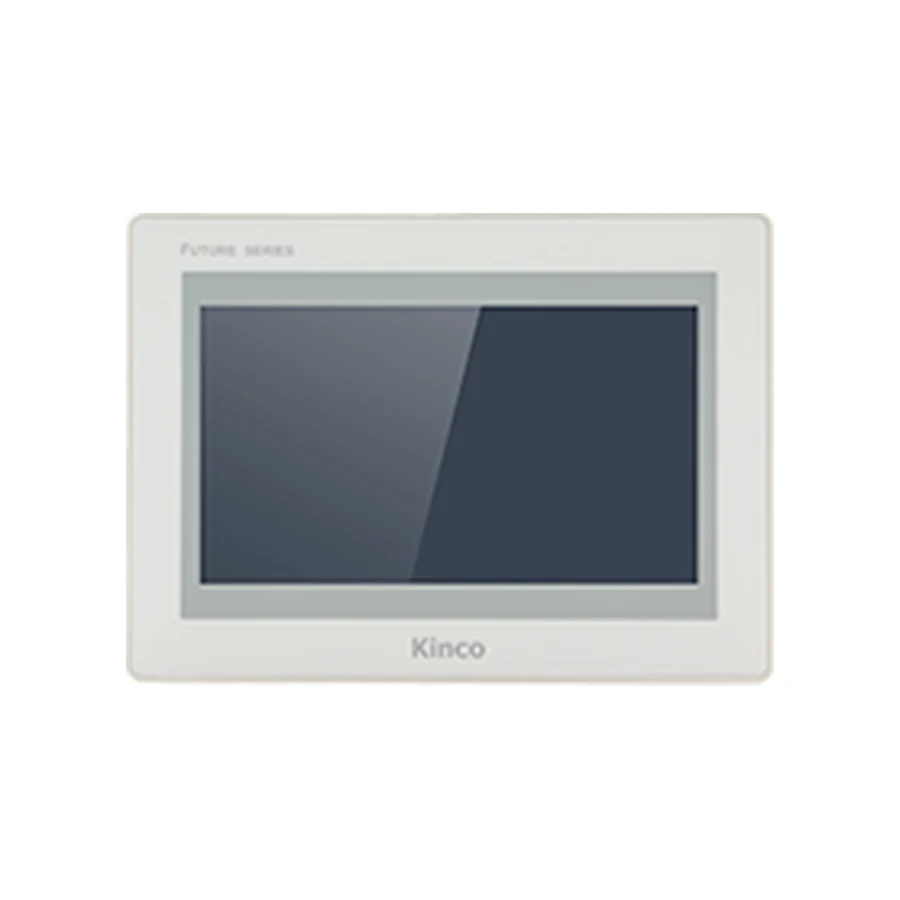
Kinco F2070E 7-inch HMI panel, representative front appearance, light bezel and dark display

Kinco F2070E 7-inch HMI panel: representative front appearance; confirm the full model code and specifications for interface and configuration differences.

Advanced SERIES · F2070E

Kinco F2070E 7-inch HMI Panel

Model codes: F2070E

The Kinco F2070E combines a 7-inch 1024 × 600 display with one Ethernet port. Consider it for operator pages that need readable alarm lists alongside controls within a compact door layout. The F2070E2 shares its opening but changes resolution and network port count, so compare the actual project target before choosing. Allow for the 204 × 150 × 37 mm body and confirm the DTools Pro driver and cable requirements.

Generation: FUTURE Series 2 in the Advanced series

7" display · 1024 × 600Resistive touchQuad-core ARM 1.8 GHz1 Ethernet port and 3 serial ports

For a replacement, confirm that the existing panel label reads F2070E and check the hardware revision.

Available for quotation — specify the full code, quantity and destination.

Supplied by CINKR. Confirm the panel cut-out, the interfaces and the protocol before ordering.

EXACT MODEL CODE

F2070E connection and mounting checks

Match the full code to the PLC connection, project software and cabinet opening. An option listed for one code does not apply to every code on this page.

F2070E panel opening illustration192 mm cut-out width138 mm cut-out heightF2070E
Illustrative opening for the base code. Use the applicable dimension drawing to machine the panel; this sketch does not show connector positions or pinout.

Before fitting the panel

Base-code opening
192 × 138 mm
Body dimensions
204 × 150 × 37 mm
Power supply
DC 18 to 28 V
Project software
Kinco DTools Pro

Check door thickness, clip access, ventilation and cable bend clearance. Compare the full variant code before reusing an opening or cable.

Request the applicable installation drawing →

PRODUCT GUIDE

About the F2070E

The Kinco F2070E combines a 7-inch 1024 × 600 display with one Ethernet port. Consider it for operator pages that need readable alarm lists alongside controls within a compact door layout. The F2070E2 shares its opening but changes resolution and network port count, so compare the actual project target before choosing. Allow for the 204 × 150 × 37 mm body and confirm the DTools Pro driver and cable requirements.

QUICK DECISION

Know where this panel fits before you compare specifications.

BEST FIT

Choose F2070E when you need:

  • A 7-inch control screen with 1024 × 600 detail for alarm lists and several controls on one view.
  • Use 192 × 138 mm for the cabinet opening and 204 × 150 × 37 mm for body clearance. The DC 18 to 28 V supply must match the exact panel label.

CHECK BEFORE ORDERING

Confirm these details first:

  • For a replacement, confirm that the existing panel label reads F2070E and check the hardware revision.
  • Compare the published panel cut-out and panel body depth with the opening and the space behind the machine door.
  • Check the protocol and connector arrangement the machine program expects against the published interface set.

CONSIDER ANOTHER CODE IF

Your machine instead requires:

  • Choose another model if the opening, software family or required PLC driver differs. Compare F2070E2, G2070HE, GL2070HE before changing the machine design.

The Kinco F2070E combines a 7-inch 1024 × 600 display with one Ethernet port. Consider it for operator pages that need readable alarm lists alongside controls within a compact door layout. The F2070E2 shares its opening but changes resolution and network port count, so compare the actual project target before choosing. Allow for the 204 × 150 × 37 mm body and confirm the DTools Pro driver and cable requirements.

Model codes: F2070E.

Kinco F2070E HMI Panel Overview

F2070E offers a relatively detailed pixel layout in a small panel format. Its value to a machine builder depends on how that space is used: a persistent machine status area, clear alarm descriptions and controls grouped around an operator task can reduce unnecessary page changes. The display specification alone does not establish how readable a finished application will be. Review a representative screen at its intended physical size before committing the cabinet design.

The panel uses a 4-wire resistive touchscreen. Design buttons with enough separation for deliberate selection, and assess operation using the working practices of the installation. Keep the editable application and the selected hardware code together in the engineering record so that future support starts with the correct target.

F2070E for Alarm Lists and Compact Control Layouts

A compact machine door may have room for a 7-inch HMI but little space for additional labels or indicators. On F2070E, a useful layout could keep operating state and the active alarm visible while placing normal adjustments on a separate page. This is a screen planning example, not a supplied application or a promise about a particular machine.

Evaluate the longest alarm text, translated labels and numeric entry windows rather than judging the home screen alone. A dense overview can look convincing during design yet become difficult to use during fault recovery. Leave clear visual distinction between a displayed value and an editable setpoint. If more physical viewing area is needed, compare the F2100E and F2100E2 10.1-inch panels before enlarging the opening. A larger diagonal should answer an operator need rather than simply create more room for objects.

F2070E Single Ethernet Port, RAM and Flash

The listed memory is 1 GB RAM with 8 GB flash. Treat these figures as hardware capacity, not a guaranteed allowance for a particular quantity of recipes, trends or alarm records. Define the information the application actually needs, its update frequency and the method used to retain or export it. Review the resulting project against the applicable software and hardware documentation.

One Ethernet port is listed for F2070E. This is a physical connection count; it does not identify supported PLC protocols or promise network routing functions. Wi-Fi and cellular connectivity are not offered on this model. For a different arrangement, the Kinco F2070E2 HMI Panel has two Ethernet ports but an 800 × 480 display. That combination matters: choosing an additional connector also changes the display target, even though the cabinet opening is shared.

F2070E PLC Ports and Driver Checks

Match F2070E PLC Drivers and Cable Pinout

The serial listing is COM0: RS232/RS485/RS422, COM1: RS485/RS422 and COM2: RS232. These labels describe electrical interfaces, not a universal communication capability. Record the intended PLC CPU, communication module where fitted, firmware and protocol. Then establish that the required driver is available for F2070E in the DTools Pro version used by the project.

Use the connection drawing applicable to the actual hardware for connector identification and cable pinout. A photograph of the front panel cannot establish a rear connector assignment. The PLC compatibility guide explains what evidence to gather when the controller family alone is insufficient. During commissioning, begin with approved read operations. Any controlled write test needs a defined safe machine state, an agreed test value and the PLC engineer’s oversight; the PLC must retain its interlocks and responsibility for machine actions.

F2070E 192 × 138 mm Cut-out and Body Dimensions

Measure the 192 × 138 mm Opening for F2070E

The cut-out is 192 × 138 mm, while the complete body measures 204 × 150 × 37 mm. Measure the opening independently from the front bezel. Inspect the door thickness, available clamping area and nearby components, then use the applicable installation drawing for mounting details. The published body depth does not include an arbitrary allowance for cable bends or service access.

Open and close the cabinet door while considering the wiring route. A rear connector may clear a component when the door is open but interfere as the hinge moves. Leave practical access for installation and later removal. The supply input is DC 18 to 28 V; confirm polarity, grounding and the machine power budget before connection. Use the product illustration for orientation only, not as a scaled connector drawing or drilling template.

DTools Pro Software for F2070E

Select the F2070E Target in DTools Pro

Kinco DTools Pro is the listed configuration software. Confirm the F2070E target rather than selecting a nearby code from memory. Record the installed software version and preserve an untouched copy of the editable application before making changes. A software family name by itself does not establish that an older project will convert without adjustment.

The guide to DTools Pro software for F2070E covers how to approach the software request and identify the appropriate resources. Ask for documentation matching the model and hardware revision when installation or transfer details are missing. After engineering review, validate navigation, alarm acknowledgement, numeric formatting and communication recovery in the intended setup. If values fail to update, use the communication troubleshooting guide to separate driver, wiring and controller configuration questions instead of repeatedly changing unrelated settings.

F2070E Existing-Panel Fit and Project Checks

F2070E and F2070E2 both use a 192 × 138 mm opening, but F2070E has 1024 × 600 pixels and one Ethernet port; F2070E2 has 800 × 480 pixels and two. A common cut-out therefore supports an initial mechanical comparison only. It does not establish interchangeable application files, equivalent screen behaviour or identical machine wiring.

For a broader shortlist, the F2121E and F2121E2 12.1-inch panels address a larger operator format and require their own cabinet assessment. Keep such comparisons separate from a replacement approval. Follow the linked F2070E project migration checks for the general migration process and the replacement checklist for the evidence to collect. The final decision must identify what will be reused, what needs engineering changes and how the revised application will be accepted.

F2070E Price and Quotation Details

Request a quotation with F2070E, quantity and destination. Include the required delivery date as a requirement for review, together with any document language or project support needs. Price and lead time are confirmed for the inquiry; a model listing does not establish stock or a fixed delivery promise.

For a replacement inquiry, attach the old label, clear connector photographs, measured opening and the existing project software version. For a new machine, provide the PLC code and proposed connection instead. These details let the quotation discussion resolve the actual selection question rather than relying on a 7-inch description.

F2070E Questions and Answers

Which display resolution and software does Kinco F2070E use?

F2070E uses a 1024 × 600 display and Kinco DTools Pro. Confirm that exact target before preparing the application; F2070E2 uses a different pixel layout.

What cut-out and rear clearance does F2070E need?

The opening is 192 × 138 mm and the body is 204 × 150 × 37 mm. Add installation-specific connector, cable and maintenance space using the applicable drawing.

How do I check F2070E against my PLC driver and project?

Match the PLC CPU, firmware, protocol and physical interface to the available DTools Pro driver, then validate the application under controlled commissioning conditions.

How can I request a F2070E datasheet, manual or quotation?

Send the model code, revision if known, required document and language. For a quotation, add quantity and destination. Request the applicable manual or drawing rather than assuming a document for another suffix applies.

SELECTION CHECKLIST

Confirm a F2070E before ordering

  1. Measure the panel openingCompare the machine opening with the published 192 × 138 mm cut-out and the 204 × 150 × 37 mm panel body.
  2. List the required portsWrite down every protocol and connector the cabinet uses, then compare them with the published interface set: 1 Ethernet port, 3 serial ports and 1 USB host port.
  3. Confirm the program and protocolCheck which configuration software and protocol the machine program expects, then confirm the variant code that matches it.

SPECIFICATIONS

F2070E Technical Specifications

Compare specifications by model code, including differences in interfaces, power requirements and dimensions.

Model codeF2070E
SeriesAdvanced series · FUTURE Series 2
Interface summary1 port · 3 serial ports
Display
Display size7"
Resolution1024 × 600
Display area154.08 × 85.92 mm (H × V)
Colours16.7 million colours
Viewing angle85/85/85/85 (T/B/L/R)
Contrast ratio800:1
BacklightLED
Brightness450 cd/m²
Backlight life50,000 hours
Touch panel4-wire resistive
Hardware
ProcessorQuad-core ARM 1.8 GHz
RAM1 GB
Flash storage8 GB
USB host1 port
USB device1 port
SD cardNot offered on this model
Interfaces
Ethernet1 port
Serial portsCOM0: RS232/RS485/RS422 · COM1: RS485/RS422 · COM2: RS232
CANopenNot offered on this model
Wi-FiNot offered on this model
4GNot offered on this model
HDMINot offered on this model
RFIDNot offered on this model
Power
Input powerDC 18 to 28 V
Power consumption7W at 24 V DC
Allowable power loss< 3ms
Insulation resistance> 50 MΩ at 500 V DC
Dielectric strength500 V AC for 1 minute
Power isolationNot offered on this model
Serial port isolationNot offered on this model
Mechanical
EnclosureEngineering plastic
Panel dimensions204 × 150 × 37 mm
Panel cut-out192 × 138 mm
MountingPanel mounting
Front protectionIP65
PCB coatingConformal coating applied
Environment
Operating temperature-10 to 60 °C
Operating humidity0 to 90 % RH (non-condensing)
Storage temperature-20 to 60 °C
Storage humidity0 to 90 % RH (non-condensing)
Vibration resistance10-500 Hz, 30 m/s², 1 hour each for X, Y, Z directions
CoolingNatural air circulation
Certification and software
Manufacturer-listed CE standardsEN IEC 61000-6-4:2019, EN IEC 61000-6-2:2019
Configuration softwareKinco DTools Pro
Remote maintenanceEdgeAccess 2.0

COMPARE RELATED PANELS

Compare F2070E with Related Panels.

Related model codes help you avoid choosing a neighbouring size by accident. A different series or generation is not a substitute without a cut-out and port check.

ModelCut-outDisplaySoftwarePortsRelationship
F2070E192 × 138 mm7"Kinco DTools Pro1 port · 3 serial portsSelected code
F2070E2192 × 138 mm7"Kinco DTools Pro2 ports · 3 serial portsSame generation — compare the port set, memory and panel depth.
G2070HE | G2070HE-4G +2 codes192 × 138 mm7"Kinco DTools Pro1 port · 3 serial ports · Wi-Fi on G2070HE-WIFI · 4G on G2070HE-4GDifferent series — confirm the cut-out, the protocol and the ports before substituting.
GL2070HE | GL2070HE-4G | GL2070HE-WIFI192 × 138 mm7"Kinco DTools Pro1 port · 3 serial ports · Wi-Fi on GL2070HE-WIFI · 4G on GL2070HE-4GDifferent series — confirm the cut-out, the protocol and the ports before substituting.

Related model codes show a size and interface comparison, not interchangeability. Confirm the cut-out, the port arrangement and the protocol before treating a neighbouring code as a replacement.

DOWNLOADS

F2070E Manuals, Drawings & Software

Request the manual or dimension drawing for the full model code and hardware revision. Use the manufacturer download center for software, then check its supported target and release.

Include your full model code, revision and required document language.

F2070E manual

Operating instructions, parameter references and panel setup information.

Model codes: F2070E

F2070E dimension drawing

Panel outline, panel cut-out and depth drawing for the machine door.

Model codes: F2070E

Kinco DTools Pro software

Kinco DTools Pro project software; check the target and package release.

Model codes: F2070E

Kinco DTools Pro — manufacturer downloads

Kinco DTools Pro project software; check the target and package release.

Model codes: F2070E

V1.10.0.2 (Build260821) · checked 2026-10-05

Official manufacturer download center

FAQ

F2070E — Questions to Check Before Ordering.

Which display resolution and software does Kinco F2070E use?

F2070E uses a 1024 × 600 display and Kinco DTools Pro. Confirm that exact target before preparing the application; F2070E2 uses a different pixel layout.

What cut-out and rear clearance does F2070E need?

The opening is 192 × 138 mm and the body is 204 × 150 × 37 mm. Add installation-specific connector, cable and maintenance space using the applicable drawing.

How do I check F2070E against my PLC driver and project?

Match the PLC CPU, firmware, protocol and physical interface to the available DTools Pro driver, then validate the application under controlled commissioning conditions.

How can I request a F2070E datasheet, manual or quotation?

Send the model code, revision if known, required document and language. For a quotation, add quantity and destination. Request the applicable manual or drawing rather than assuming a document for another suffix applies.

REQUEST A QUOTE

Request a Quote for the F2070E

Tell us whether the F2070E is for a new machine, an upgrade or a replacement, and include the panel opening and the interfaces in use. This form only prepares your message; nothing is submitted or stored.

Machine or replacement details (optional)
Email CINKR About F2070E